Vai al contenuto
AGORA SecureWare SA

Support

  • Home
  • Learning
  • Guides
  • FAQ
  • Video tutorial 
  • Submit a request

Getting Started

8
  • Login
  • User interface structure
  • Permissions
  • Share a resource
  • Create a Room
  • File
  • Upload a file
  • Rooms

Guide for Guest Users

9
  • Login
  • User interface structure
  • Rooms
  • Upload a file
  • File
  • Create a Room
  • Chat
  • Calendar
  • Recent activities
View Categories
  • Home
  • Learning
  • Getting Started
  • File

File

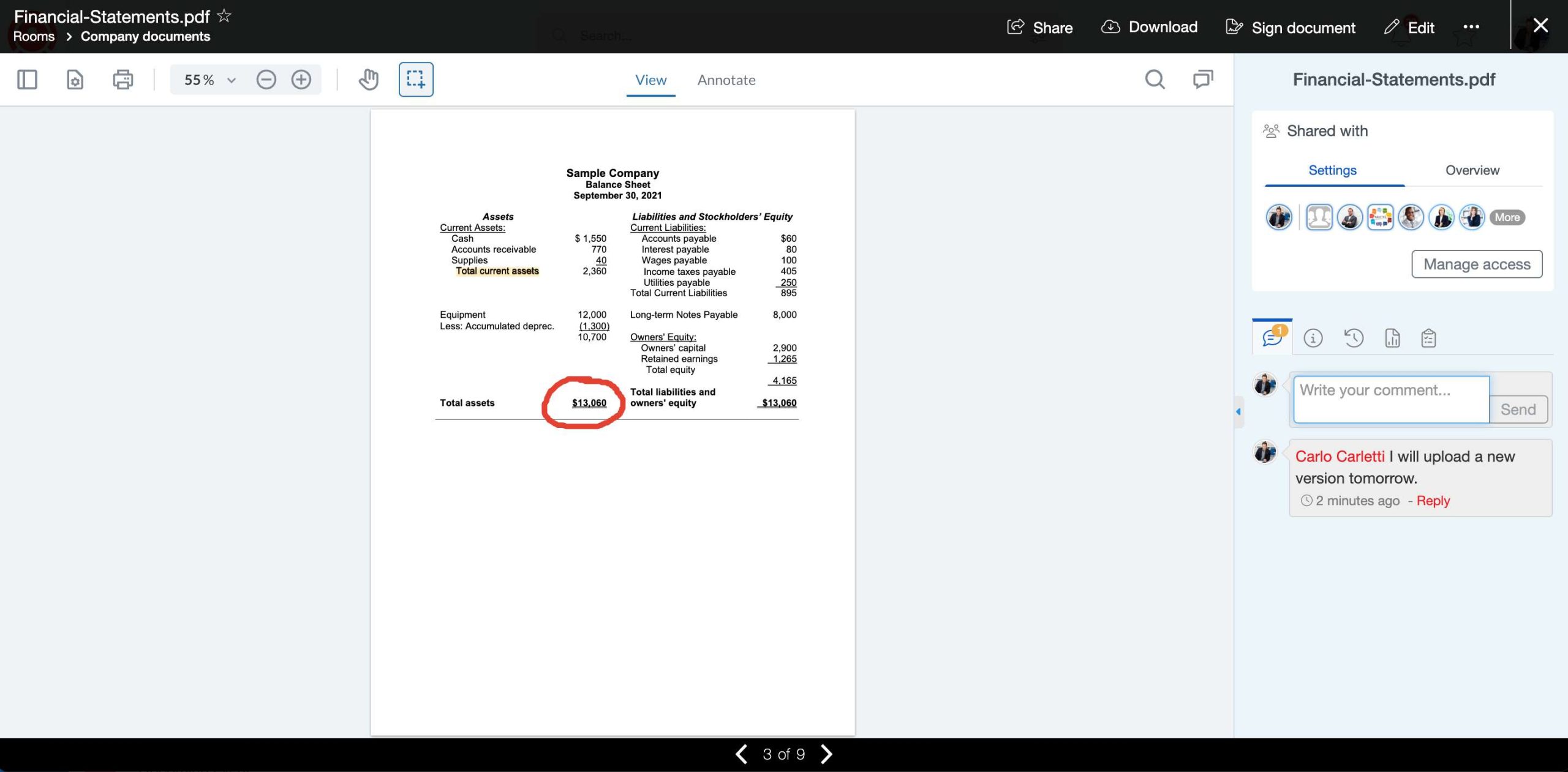
When you open a file inside AGORA you get a powerful document reader1 that offers many collaboration possibilities:

  1. Share comments on the document.
  2. Add private annotations (text highlight, underline, strikethrough, free hand, free text and comments).
  3. Search inside the document.
  4. View document’s version history.
  5. View access statistic (only for the owners of the document).
  6. View the history of the file (only for the owners of the document).
  7. Assign tasks for this file.


1. The preview of a document is available for the following file formats: Microsoft Office documents (Word, Excel, PowerPoint), PDF, images, text documents.

What are your Feelings

  • Normal
  • Sad
Create a RoomUpload a file

© 2025 AGORA SecureWare SA - All rights reserved.